Configuration Workbook
Generate the Configuration Workbook from SAP SuccessFactors XML exports.
Quick Start — How to use
Open complete guide-
Export the XMLs or .zip file from Provisioning or EC instance
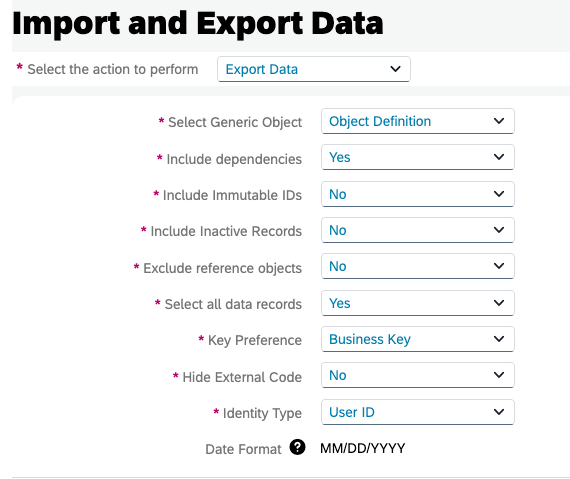
In SAP SuccessFactors Provisioning or the EC instance Admin Center, download the Data Models XML and .zip file. For country-specific overrides, also download the Country-Specific Fields (CSF) XML.
-
Upload the files below
Data Models is mandatory. CSF is optional but recommended if your client operates across multiple countries. Max 50MB each.
-
Click "Generate Configuration Workbook"
The tool parses the XML and .zip file and builds a multi-sheet Excel: Cover, navigable Table of Contents, ~20 base entity sheets, country variants (Addresses, National ID, Global Info, Job Info per country), Business Rules tables and Sync Mappings.
-
Download starts automatically
A
.xlsxfile is streamed back to your browser. No data is stored on the server — generation is stateless.
Upload XMLs
Upload the Succession Data Model (SDM) XML and, optionally, the Country-Specific Fields (CSF) XML to generate the workbook.
Upload XMLs
Upload the Corporate Data Model (CDM) XML and, optionally, the Country-Specific Fields (CSF) XML to generate the workbook. Only corporateAddress has country variants.
Upload MDF ZIP
Upload the Object Definitions ZIP exported from Admin Center to generate the Position Management Workbook. Only the Position object is rendered, matching the SAP-official template.
How it works
1. Upload Data Models
Export from provisioning
2. Generate File
Parser builds the workbook
3. Automatic Download
.xlsx file ready